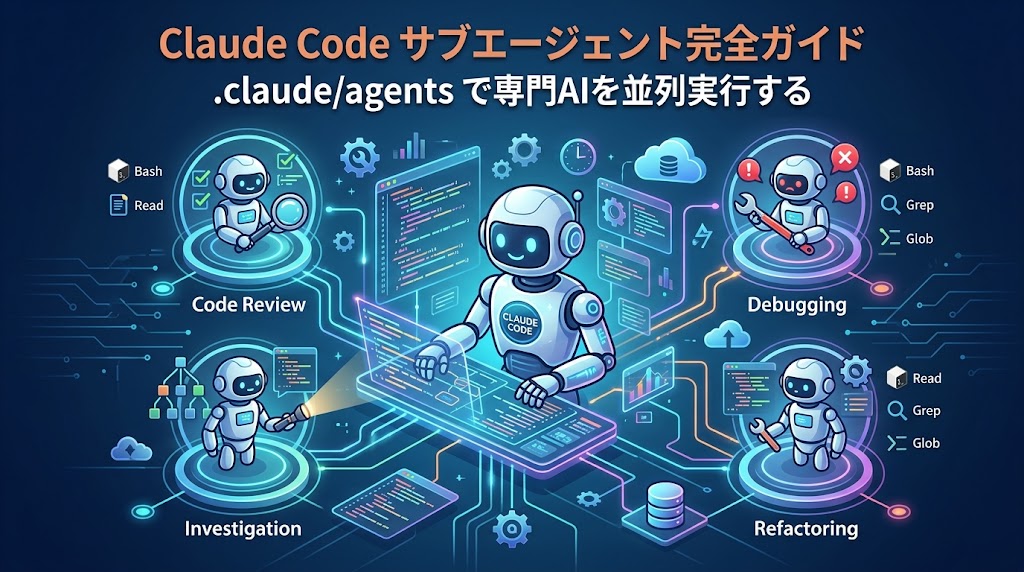
Claude Code は、ターミナルから AI にコーディングや作業を任せられる Anthropic 公式のエージェント型ツールです。ファイルの読み書きからコマンド実行、デプロイまでこなせる反面、権限の与え方を誤ると情報漏洩や意図しない操作につながるリスクもあります。
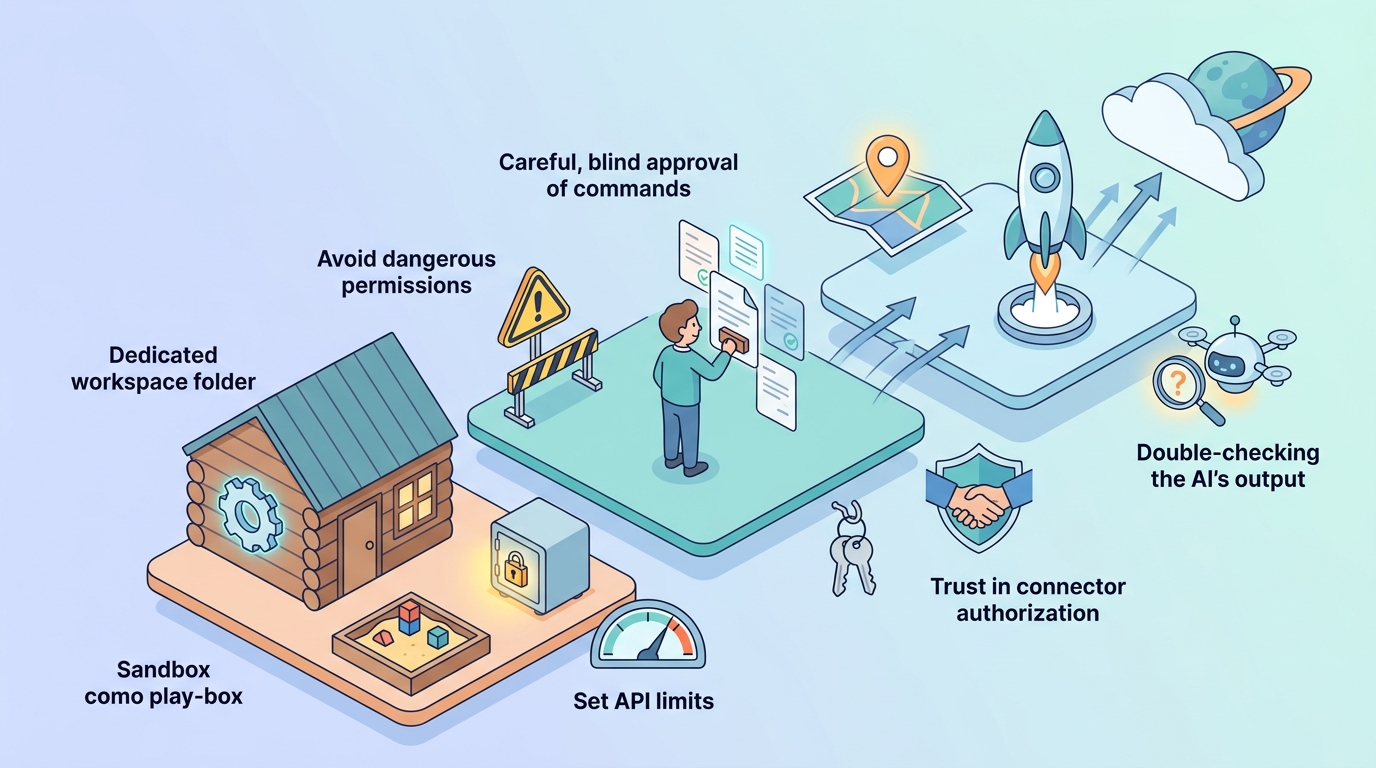
この記事では、私が実際に WSL2(Ubuntu)環境で Claude Code を運用しながら決めた「使う時のルール」を12個にまとめました。①~③は実際の設定例・ターミナル出力つきで紹介します。2026年時点の Claude Code(サンドボックス機能・settings.json のパーミッション設定・コネクタ対応)を前提にしています。
この記事でわかること
- Claude Code を安全に使うための12のルール
- settings.json による deny 設定(.env を読ませない)の実例
- サンドボックス(bubblewrap / socat)の導入手順と設定例
ルール①~③:起動場所・設定ファイル・サンドボックスで「触れる範囲」を絞る
まずは環境面の3つ。Claude Code に「どこで・何に・どこまで」触らせるかを最初に決めておくのが安全運用の土台です。
①ホームディレクトリでClaude Codeを起動しない。
ホームディレクトリでClaude Codeを起動せず、
プロジェクトごとに作業フォルダを作って行う。
必要な権限以外の権限を与えない。
※私はC:¥ではなく、D:¥など空のドライブにディレクトリを作り、
その中にプロジェクト用の作業ディレクトリを作成している。
PS D:\WSL\Ubuntu> WSL -d Ubuntu-D –USER USER
USER@PC:/mnt/d/WSL/Ubuntu$ claude
②設定ファイルであるsettings.jsonを置く。
Claude Codeにやって欲しくないことをやらないように設定しておく。
あるいはやって欲しいことを許可するように設定しておく。
許可・拒否・確認を決めておく。
.envを見に行かないように(読ませないように)する。
settings.jsonのdeny設定(パーミッション設定)を行う。
読めてしまうと情報漏洩につながることがありうる。
※グローバル(/home/user/.claude/settings.json)
“permissions”: {
“deny”: [
“Read(**/.env)”,
“Grep(**/.env)”,
“Glob(**/.env)”
],
“defaultMode”: “bypassPermissions”
},
“model”: “sonnet”,
“disableClaudeAiConnectors”: true,
“effortLevel”: “medium”,
“skipDangerousModePermissionPrompt”: true
}
※プロジェクト(/mnt/d/WSL/Ubuntu/.claude/settings.json)
– /mnt/c, /mnt/e〜r などの他ドライブへの
Read/Edit/Write/Glob/Grep と cd を拒否
– Dドライブ内でも
$RECYCLE.BIN、Downloads、System Volume
Information、*.pdf を拒否
※用途としては「Dドライブ(ワークスペース)以外に触らせない」ためのガード設定にしています。
③サンドボックスを用いる。
AIが作業できる範囲を指定し、その範囲内で動かす。
※ターミナルで、「/sandbox」とすると、
Sandbox Dependencies ← 依存関係
ripgrep (rg): found ← 検出済
bubblewrap (bwrap): not installed ←未インストール
· apt install bubblewrap
socat: not installed ←未インストール
· apt install socat
seccomp filter: installed ←インストール済
となった。AIが作業できる範囲を指定していると言えない。
sudo apt install bubblewrap socat
PS D:\WSL\Ubuntu> WSL -d Ubuntu-D –user user
USER@PC:/mnt/d/WSL/Ubuntu$ sudo apt install bubblewrap socat
[sudo] password for USER:
Reading package lists… Done
Building dependency tree… Done
Reading state information… Done
The following additional packages will be installed:
libwrap0
The following NEW packages will be installed:
bubblewrap libwrap0 socat
0 upgraded, 3 newly installed, 0 to remove and 248 not upgraded.
Need to get 443 kB of archives.
After this operation, 1625 kB of additional disk space will be used.
Do you want to continue? [Y/n] y[Enter]
再起動し、ターミナルで、「/sandbox」とすると、
Sandbox Mode Overrides Config
Configure mode
1. Sandbox BashTool, with auto-allow
2. Sandbox BashTool, with regular permissions
3. No Sandbox ✔
Auto-allow mode: Commands will try to run in the sandbox
automatically, and attempts to run outside of the sandbox
fallback to regular permissions. Explicit ask/deny rules are
always respected.
となっていたので、1を選んだ。その後、
~/.claude/settings.json へこれを入れておく
{
“sandbox”: {
“credentials”: {
“files”: [
{ “path”: “~/.aws/credentials”, “mode”: “deny” },
{ “path”: “~/.ssh”, “mode”: “deny” }
],
“envVars”: [
{ “name”: “GITHUB_TOKEN”, “mode”: “deny” }
]
}
}
}
❯ /hooks で反映されているか確認して
Hooks
0 hooks configured
ℹ This menu is read-only. To add or modify hooks, edit
settings.json directly or ask Claude. Learn more
❯ 1. PreToolUse Before tool execution
2. PostToolUse After tool execution
3. PostToolUseFailure After tool execution fails
となっていたので、1を選んだ。
ルール④~⑤:秘密情報(.env・APIキー)を守る
④.envは平文(ひらぶん)で保存しない。暗号化する。
ルール②の deny 設定で「AIに読ませない」対策をしても、ファイル自体が平文のままでは、AI以外の経路(マルウェア・誤共有・バックアップ流出)で漏れる可能性が残ります。暗号化(例: git-crypt、SOPS、age など)や、シークレットマネージャーへの移行も検討しましょう。
⑤APIキーを無制限で使用しない。使う前に上限を決める。
APIキーは万一漏洩すると、他人に使われた分まで課金されます。Anthropic の Console ではワークスペースごとに月間の利用上限(Spend Limit)を設定できるので、使い始める前に上限を決めておくのが鉄則です。上限に達したら止まる、という状態にしておけば被害は限定されます。
ルール⑥~⑨:権限と接続は「最小限」を貫く
⑥すべてのコマンドを全承認しない。
確認ダイアログが面倒だからと「常に許可」を連発すると、実質的にノーガードになります。よく使う安全なコマンドだけを settings.json の allow に登録し、破壊的な操作(rm、git push –force、本番サーバーへの接続など)は毎回確認する運用にします。
⑦常にバイパスパーミッションしない。下記のオプションは使わない。
–dangerously-skip-permissions
このオプションを付けると、Claude Code はすべての確認をスキップして動きます。名前に「dangerously」と付いている通りの危険性があり、常用は禁物です。どうしても使う場合は、ルール③のサンドボックスや使い捨てのコンテナ環境の中に限定しましょう。
⑧コネクタの認証は最小限にする。あらゆるコネクタを認証しない。
Claude Code は MCP(Model Context Protocol)経由で外部サービス(GitHub、Google ドライブ、Slack など)と接続できますが、認証したコネクタの権限はそのまま AI の権限になります。「便利そうだから」で片っ端から認証せず、いま必要なものだけに絞ります。
⑨コネクタを常時つなぎっぱなしにしない。
使い終わったコネクタは切断・無効化します。接続したままにしておくと、意図しないタイミングで AI が外部サービスへアクセスする余地が残ります。私はグローバル設定で disableClaudeAiConnectors を有効にし、必要なときだけ個別に許可しています(ルール②の設定例を参照)。
ルール⑩~⑫:作って終わりにしない・信じすぎない
⑩ローカルだけで終わらせない。デプロイ(公開)する。
これは安全ではなく活用のルールです。AI に作らせたものをローカルで動かして満足すると、そこで学びが止まります。公開まで持っていくことで、ドメイン・サーバー・HTTPS・公開後の修正といった実運用の知識が身につきます。
⑪デプロイ先は把握する。
AI に任せると「どこに・何が・どうやって」デプロイされたのかを把握しないまま公開できてしまいます。ホスティング先、公開URL、環境変数の設定場所、削除の方法までは自分で把握しておきましょう。把握していないものは、漏洩しても止められません。
⑫AIが言ったことを疑う。
AI の「確認しました」「問題ありません」は、そのまま信じないこと。実例として、私が「APIキーがハードコーディングされていないか、確認して」と指示したときの回答はこうでした。
※APIキーがハードコーディングされていないか、確認して
結論: APIキーのハードコーディングは検出されませんでした
この回答自体は正しくても、検索範囲やパターンが不十分な可能性は常にあります。セキュリティに関わる確認は、grep での再確認や別セッションでの再チェックなど、必ず自分の手でも裏を取ります。
まとめ:12のルール一覧
①~⑫を確認した。
- ①ホームディレクトリで起動しない(プロジェクトごとの作業フォルダで起動)
- ②settings.json を置き、許可・拒否・確認を決めておく(.env は読ませない)
- ③サンドボックスを用いる(bubblewrap / socat を導入して範囲を限定)
- ④.env は平文で保存しない。暗号化する
- ⑤APIキーは使う前に上限を決める
- ⑥すべてのコマンドを全承認しない
- ⑦–dangerously-skip-permissions を常用しない
- ⑧コネクタの認証は最小限にする
- ⑨コネクタを常時つなぎっぱなしにしない
- ⑩ローカルだけで終わらせない。デプロイする
- ⑪デプロイ先は把握する
- ⑫AIが言ったことを疑う
Claude Code は正しく制限をかければ、安心して仕事を任せられる強力な相棒になります。まずは①②③の環境づくりから始めて、④以降のルールを自分の運用に合わせて育てていってください。
引用サイト:https://www.youtube.com/watch?v=fJ3gQaOMfNc&t=2585s
Views: 17